How to use New & Lost Pages report
The New & Lost Pages report helps you understand how your set of ranking pages changes over time. It shows which pages started ranking in the current period and which pages stopped ranking compared to the previous period.
For larger websites, it provides a fast way to track page-level growth and loss without manually comparing periods in Google Search Console.
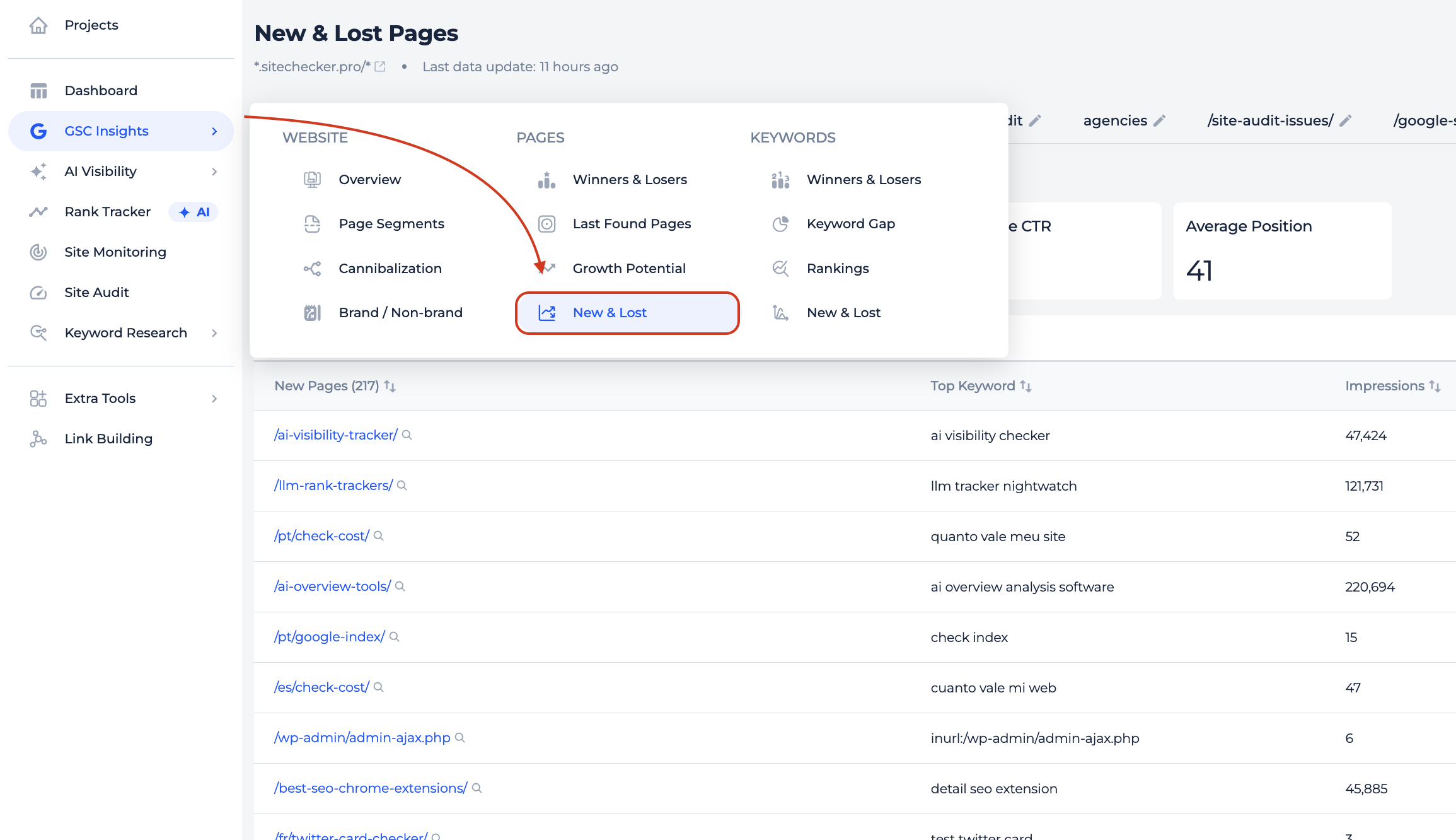
You can open the report under GSC Insights → New & Lost Pages.
How to use the report
The report compares two time periods and groups pages into two categories:
New pages
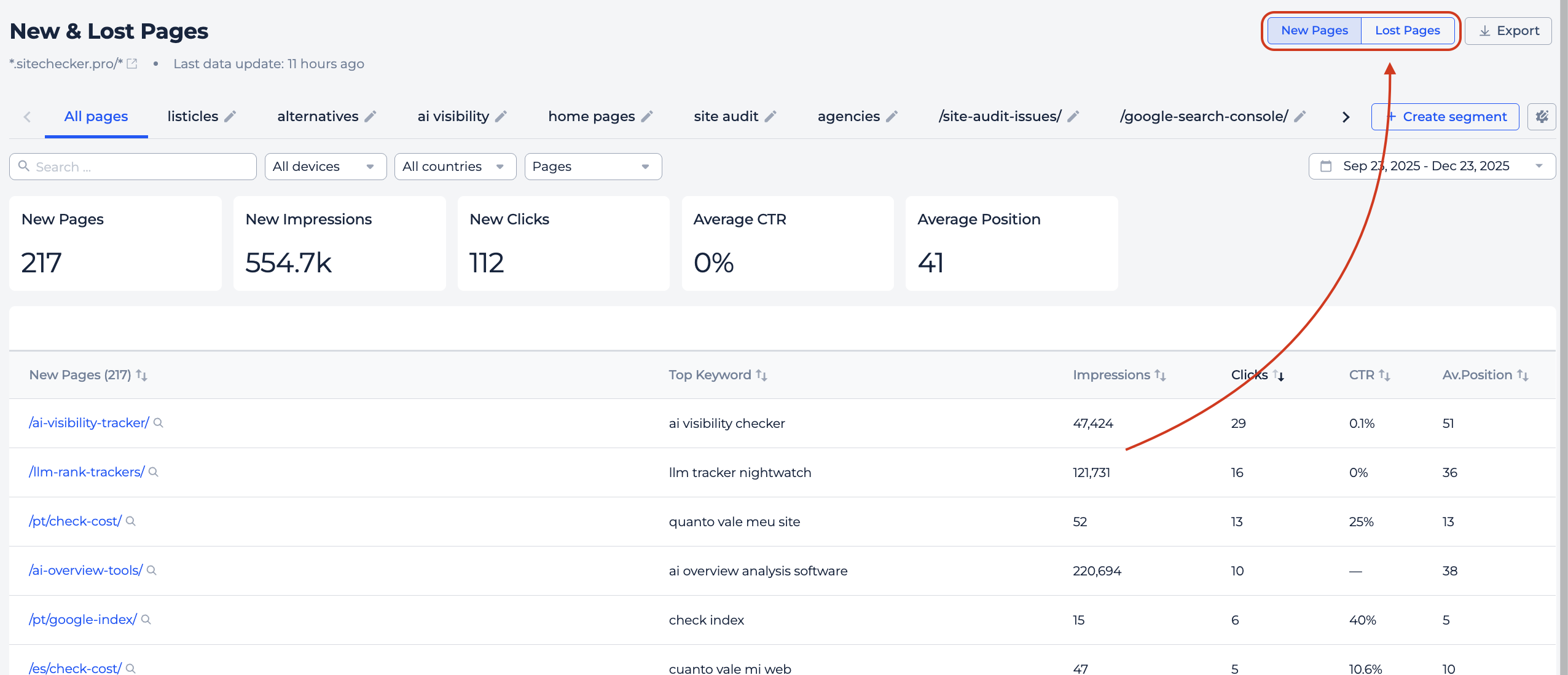
The New Pages tab shows pages that started ranking during the selected period.
For each page, you can see its search metrics and the main query it ranks for. Pages are sorted by clicks so you can quickly identify which new pages bring the most traffic.
Lost pages
The Lost Pages tab shows pages that ranked in the previous period but stopped generating search data in the current one.
For these pages, the report highlights the traffic and impressions that were lost. Metrics are shown as negative values to make the loss clear. Pages are sorted by lost clicks so you can prioritize investigation.
You can open Page Details for any lost page to understand what changed before the page disappeared from search results.
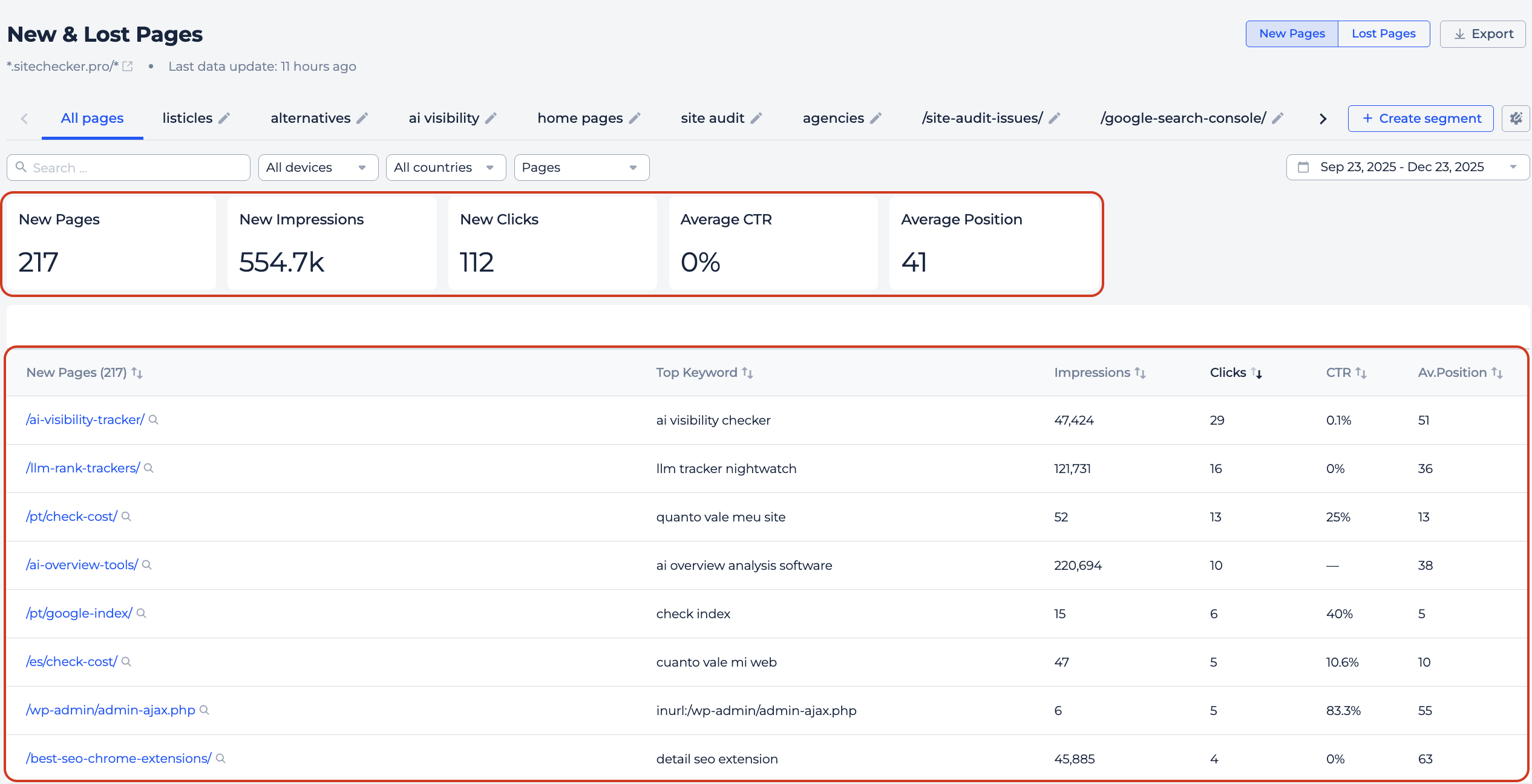
At the top of each tab, you see a summary with the total number of pages and aggregated search metrics for the selected group.
Below, you see a table with individual pages and their search performance.
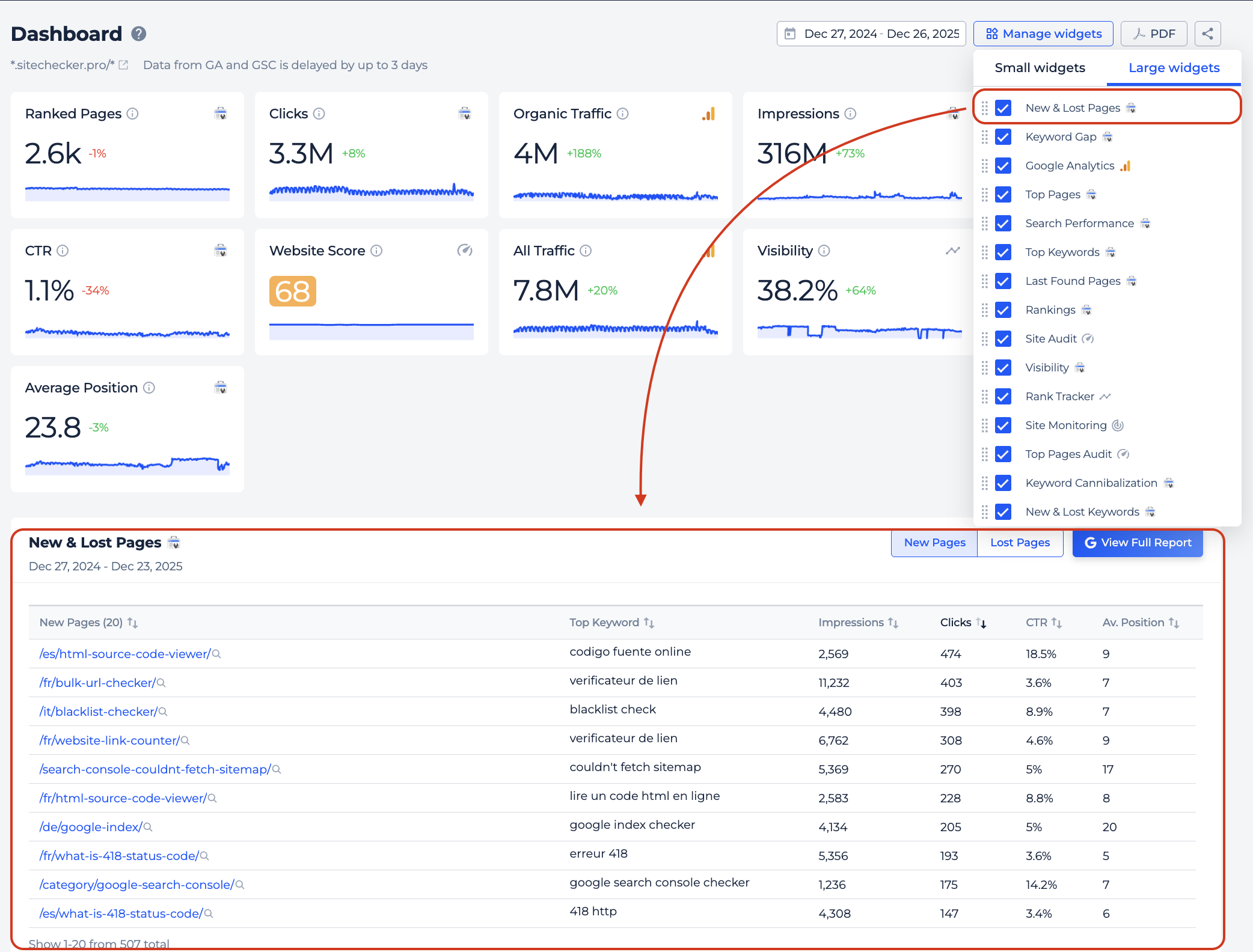
Widget on the Dashboard
The New & Lost Pages widget is also available on the Dashboard and shows a compact overview of page changes. You can switch between New and Lost pages directly on the widget.