
How to use Cannibalization report in GSC Insights
The Cannibalization report in Sitechecker GSC Insights finds keywords where two or more pages of your site compete with each other in Google.
When several pages rank for the same keyword, Google may split impressions between them, and none of them rank as well as one strong page could.
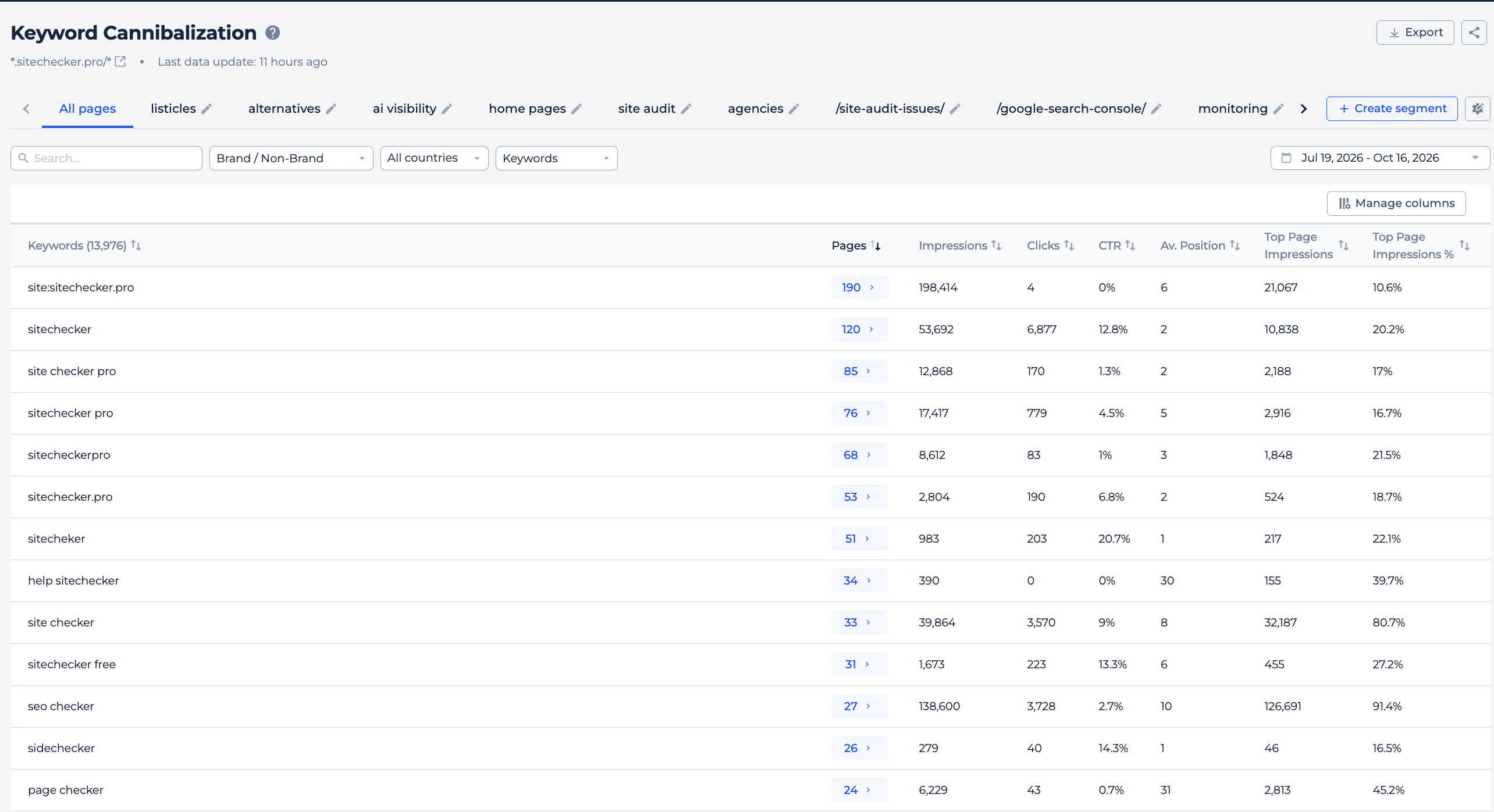
What you can do with the Cannibalization report
- Find keywords that have two or more ranking pages.
- See how many pages compete for each keyword.
- Check how impressions are split between those pages.
- See which page gets the most impressions.
- Open Page Details for any competing page.
How it works
Sitechecker checks your Search Console data for the period you choose. A keyword appears in the report when two or more of your pages got impressions for it.
The keywords with the most competing pages are shown first.
Cannibalization table
The table shows one row per keyword. The columns are:
- Keywords: the search query.
- Pages: how many of your pages rank for it.
- Impressions, Clicks, CTR and Avg Position: the search metrics of the keyword.
- Top page impressions: the impressions of the page with the most impressions, as a number and as a percent.
Use Manage Columns to choose what to show. The Keywords and Pages columns always stay on.
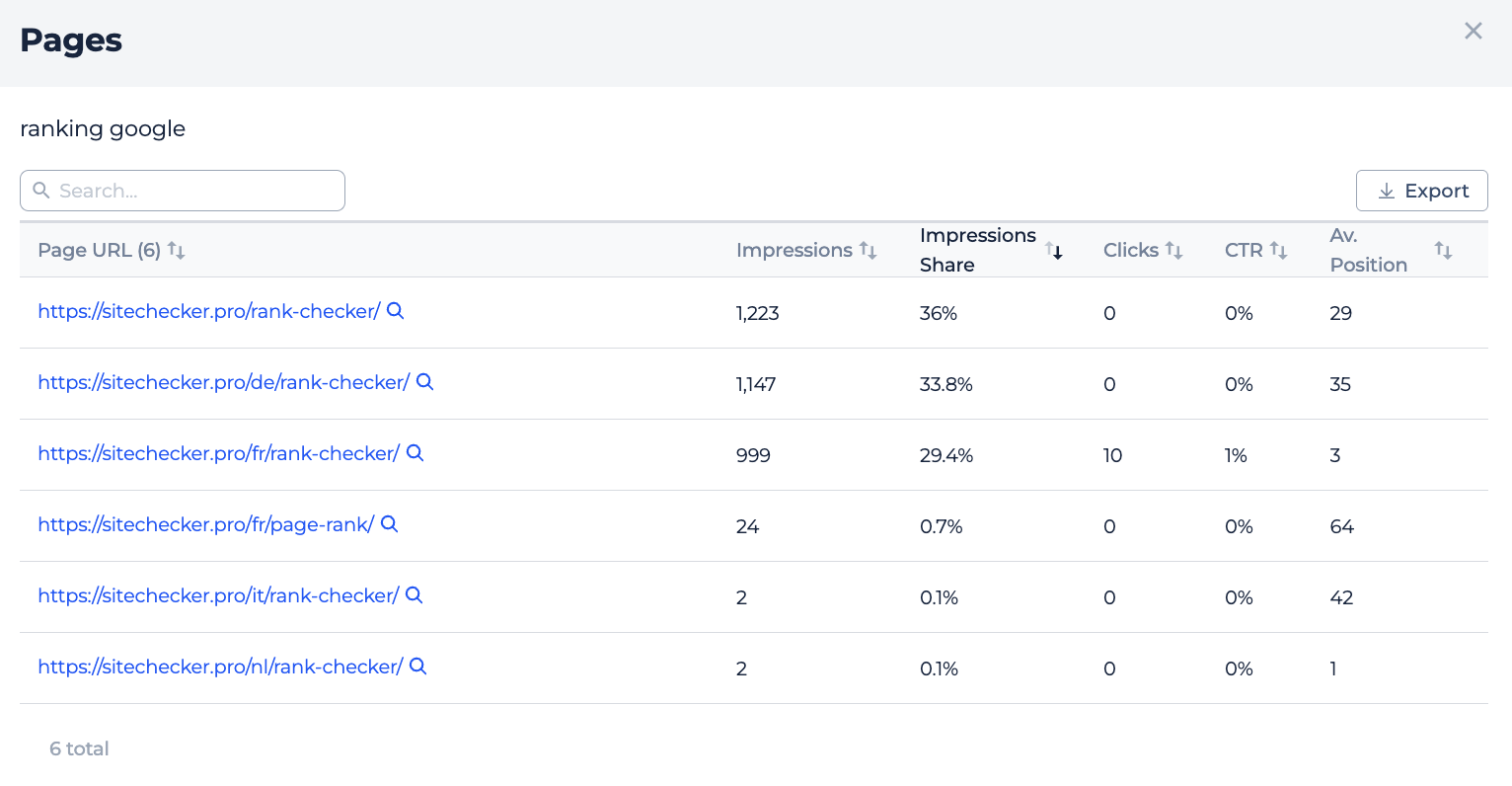
Competing pages
Click the number in the Pages column to see the pages that rank for the keyword.
For each page you see its search metrics and its Impression Share, the part of all impressions for that keyword that this page got. Click the magnifier icon to open Page Details.
Filters
Use the date picker to choose the period. You can search keywords and filter them with rules like contains or doesn't contain.
The Brand / Non-brand filter helps you focus on non-brand keywords, where cannibalization usually matters more.
How to use it in practice
- Sort by Impressions and start with the keywords that have the most demand.
- Open the competing pages. If one page gets most of the impressions, make it the main page for the keyword and link to it from the others.
- If two pages have a similar share, check whether they cover the same topic. You can merge them, set a canonical or change the focus of one page.
- Some cannibalization is normal, for example a category page and a product page for a brand keyword. Focus on cases where it holds back an important page.
Frequently asked questions
What is keyword cannibalization? It is when several pages of one site rank for the same keyword and compete with each other in Google.
How does Sitechecker find cannibalization? It shows keywords where two or more of your pages got impressions in Search Console during the chosen period.
What is Impression Share? It is the part of all impressions for a keyword that one page got.
Is every cannibalization case a problem? No. It matters most when it holds back a page you want to rank higher.
Need help?
If you have questions about the Cannibalization report, write to us at support@sitechecker.pro. We are happy to help.