
How to use Keyword Gap report in GSC Insights
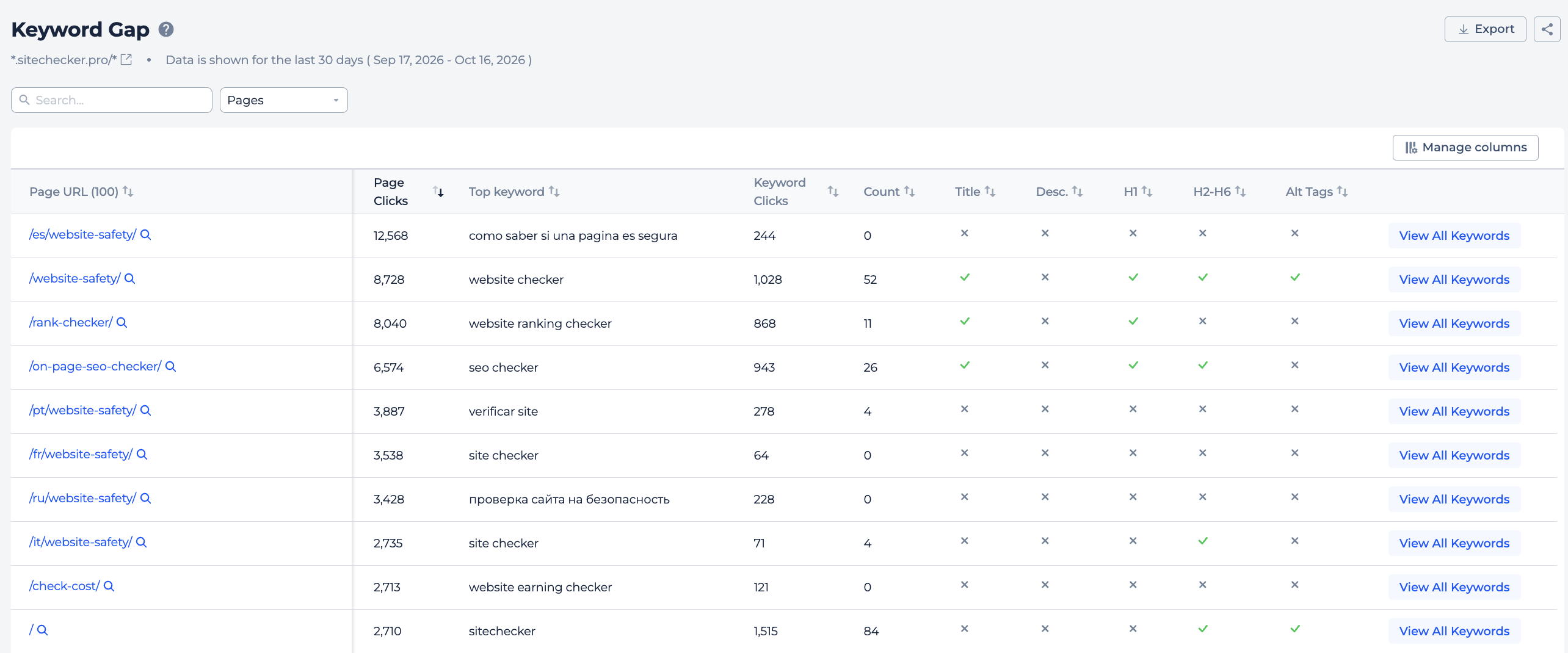
The Keyword Gap report in Sitechecker GSC Insights checks whether your top pages use their main keyword in the title, H1 and other headings.
Keywords in these elements still matter for rankings. The report shows where your best pages miss them.
What you can do with Keyword Gap
- See your top 100 pages by clicks.
- See the top keyword of each page.
- Check whether the keyword is used in the title, H1 and H2-H6 headings.
- Open all top keywords of a page in Page Details.
- Find quick on-page fixes for pages that already bring traffic.
How it works
Sitechecker takes the 100 pages with the most clicks from Google Search Console for the last 30 days.
For each page, it takes the keyword that brings the most clicks and checks your page's title, H1 and H2-H6 headings for it. The page data comes from the Sitechecker crawler.
The check uses partial match. The words of the keyword do not need to be next to each other. For example, for the keyword "seo checker", the title "SEO website checker" counts as a match.
Table
Each row shows a page, its clicks, its top keyword with its metrics, and the result for Title, H1 and H2-H6.
Column names say whether a metric belongs to the page or the keyword, for example Page Clicks and Keyword Clicks. Some columns are hidden by default. Use Manage Columns to show them. The Pages and Top Keyword columns always stay on.
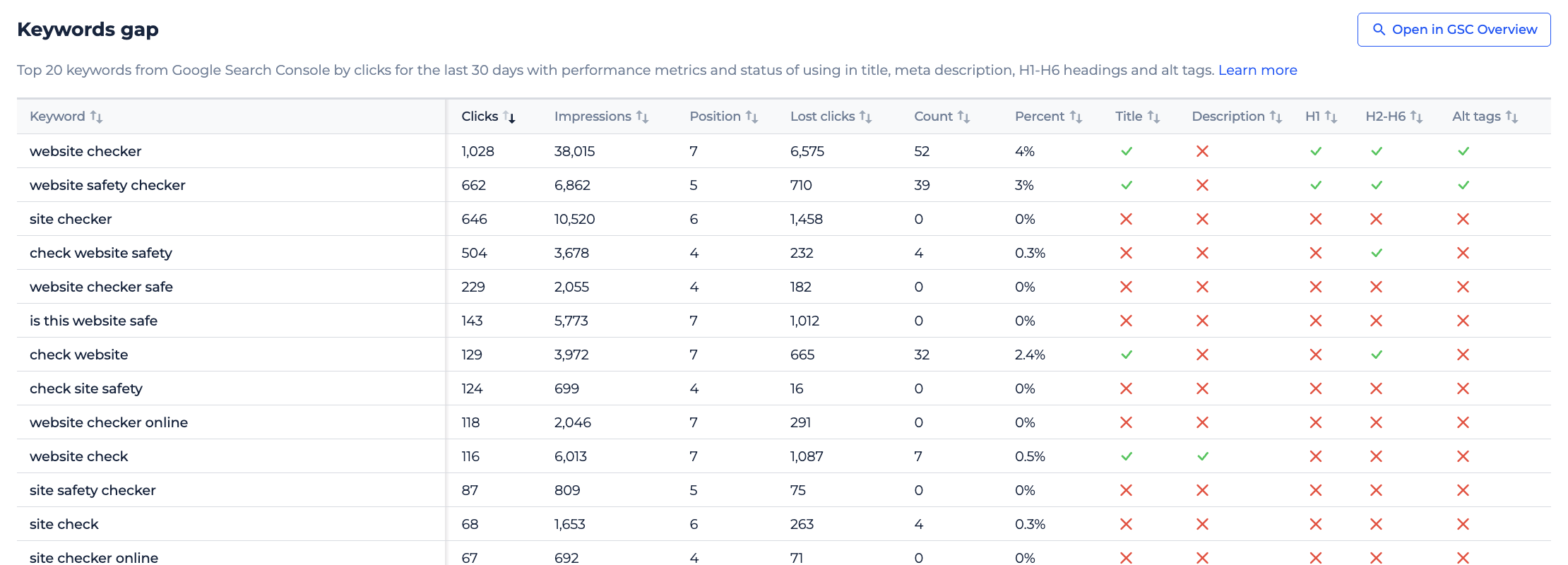
Click View All Keywords to open Page Details on the Keyword Gap tab. There you see the top 20 keywords of the page and the same checks for each.
Filters
You can search pages by URL and filter them with rules like contains or doesn't contain.
How to use it in practice
- Start with pages that have many clicks and miss the top keyword in the title or H1. Adding it there is a small change that can lift rankings.
- Then open View All Keywords for those pages. If several important keywords are missing in headings, add a section that covers them.
- Do not force keywords where they read badly. A natural title that matches what people search is the goal.
Frequently asked questions
What does the Keyword Gap report show? It shows your top 100 pages by clicks, their top keyword and whether the keyword is used in the title, H1 and H2-H6 headings.
What period does the report use? The last 30 days of Google Search Console data.
Does the keyword have to match exactly? No. The report uses partial match, so the keyword's words can be in a different order or have other words between them.
Where can I see more keywords for a page? Click View All Keywords to see the top 20 keywords of the page in Page Details.
Need help?
If you have questions about the Keyword Gap report, write to us at support@sitechecker.pro. We are happy to help.