
How to use Last Found Pages report in GSC Insights
The Last Found Pages report in Sitechecker GSC Insights shows the pages that were recently found on your site and whether they already get impressions in Google.
It helps you check that new content is picked up by Google and starts to appear in search.
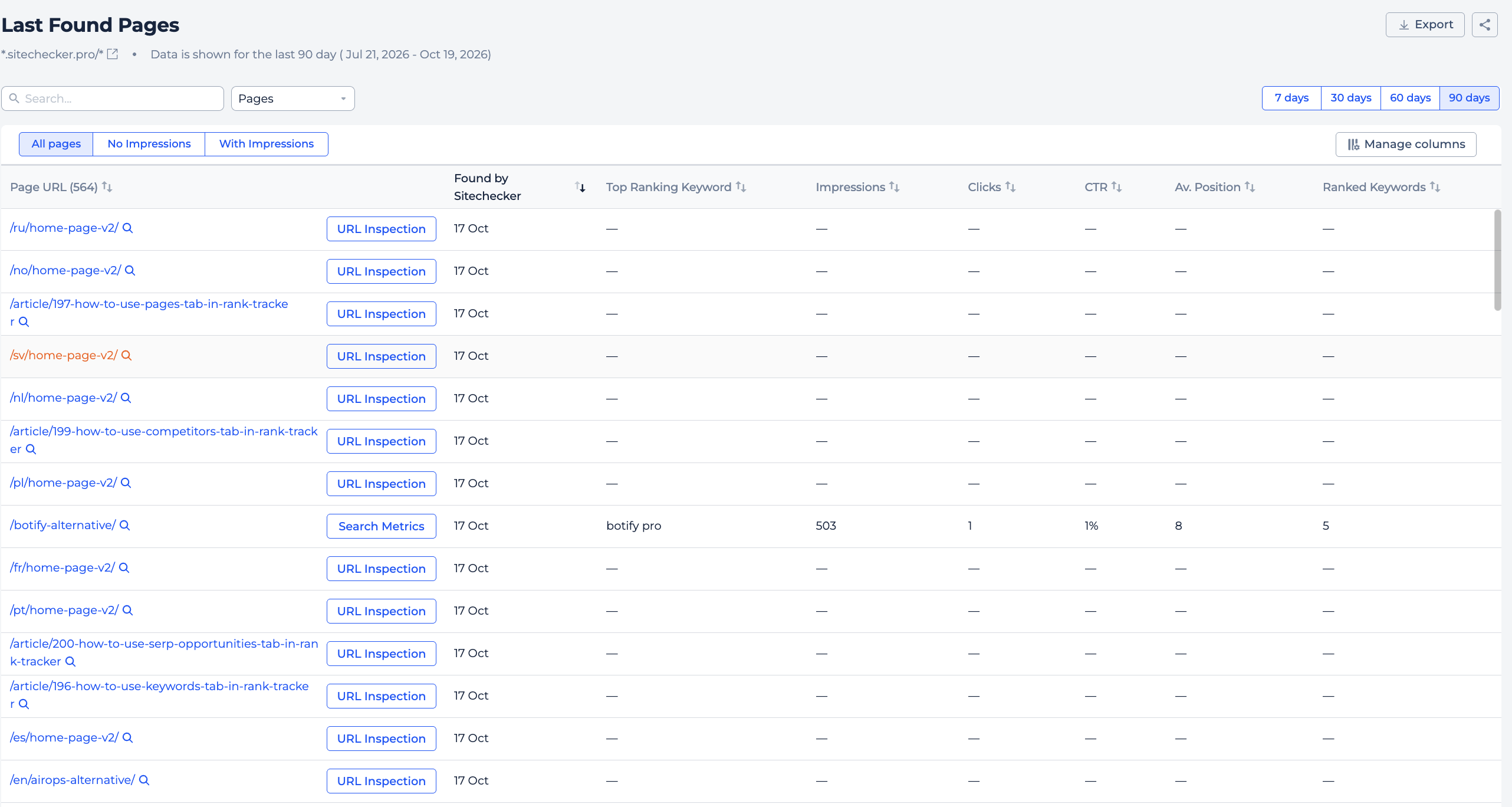
What you can do with Last Found Pages
- See new pages found on your site in the last 7, 30, 60 or 90 days.
- Check which new pages already have impressions in Google.
- Find new pages that still get no impressions.
- Open Page Details for any page.
How it works
Sitechecker combines two sources: its own crawler, which finds new pages on your site, and Google Search Console, which shows whether those pages appear in search.
The report shows the date each page was found and its search metrics.
Tabs
- All: every page found in the selected period, newest first.
- No impressions: new pages that have no impressions in Google yet.
- With impressions: new pages that already appear in search.
Filters
Choose the period with the 7, 30, 60 or 90 days buttons. 7 days is the default.
You can search by page URL and filter pages with rules like contains or doesn't contain. Use Manage Columns to choose what to show.
How to use it in practice
- Check the No impressions tab a week or two after you publish. Pages that still have no impressions may not be indexed.
- Open Page Details for those pages and check for issues like noindex, canonical to another page or weak internal links. You can also request indexing in Google Search Console.
- Use the With impressions tab to see how fast new content starts to get traffic.
Frequently asked questions
What does the Last Found Pages report show? It shows pages that were recently found on your site and their Google Search Console metrics.
Where does the data come from? From the Sitechecker crawler and your Google Search Console.
Why does a new page have no impressions? Google may not have indexed it yet, or it does not rank for any query yet. Check it in Page Details.
Which periods can I choose? 7, 30, 60 or 90 days.
Need help?
If you have questions about the Last Found Pages report, write to us at support@sitechecker.pro. We are happy to help.