
How to use GA4 data in Sitechecker MCP
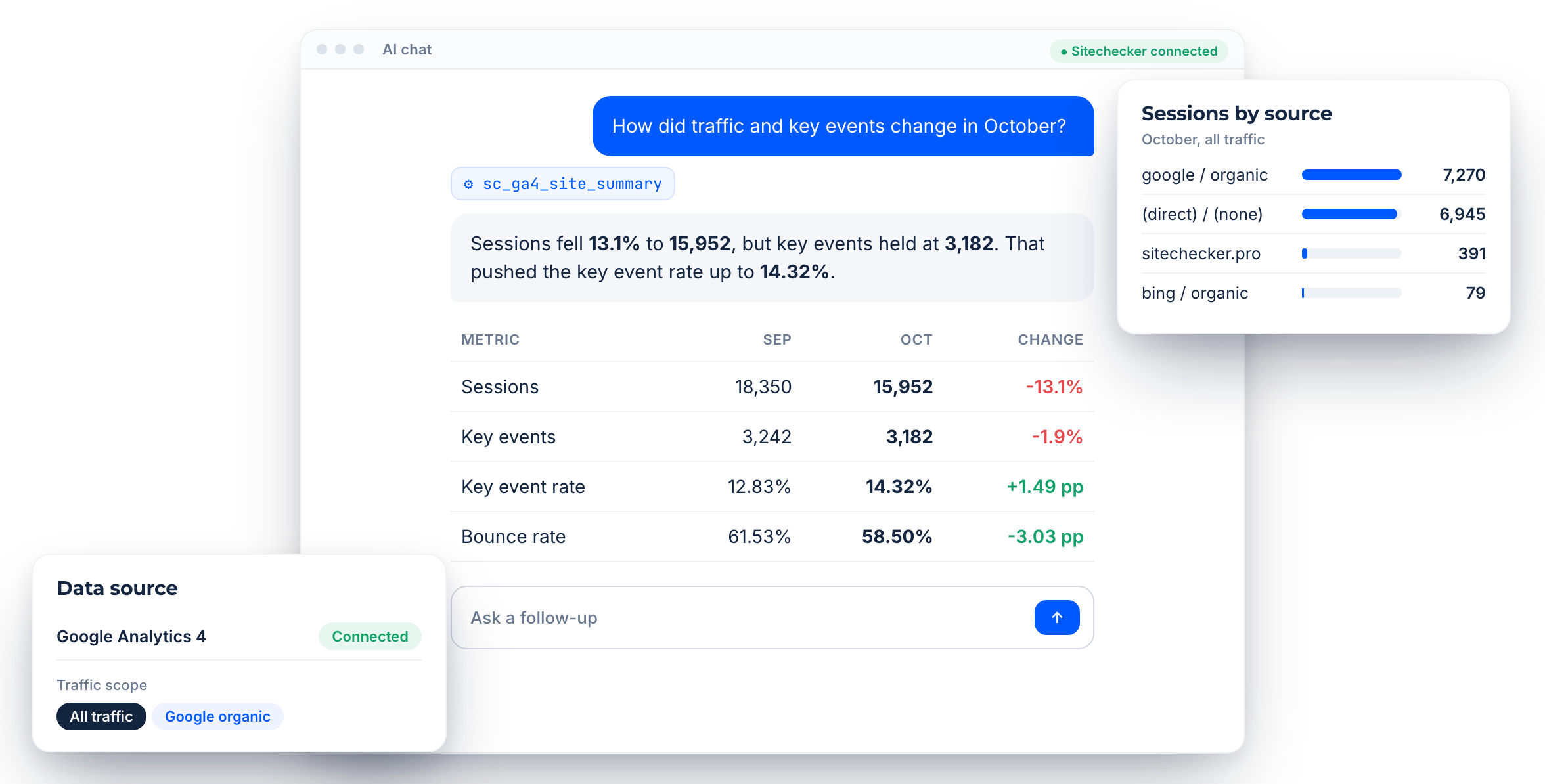
Sitechecker MCP lets your AI assistant read the Google Analytics 4 data connected to your Sitechecker project. Ask about sessions, engagement, key events and landing pages, and get answers with the change against the previous period.
What you can ask about
- Sessions, bounce rate, average session duration, key events and session key event rate.
- The whole site or each landing page, with history over time.
- Google organic traffic or all traffic.
- Sessions by source and medium, up to the top 15 rows.
- Traffic and key events from AI chats such as ChatGPT, Gemini and Perplexity.
Before you start
- Connect Sitechecker MCP to your AI assistant. See How to connect Sitechecker MCP.
- Connect GA4 to your Sitechecker project. See Connecting GA and GSC. If the connection fails, see Tips on how to fix GA connection issues.
Prompts to try
- How did sessions and key events change last month?
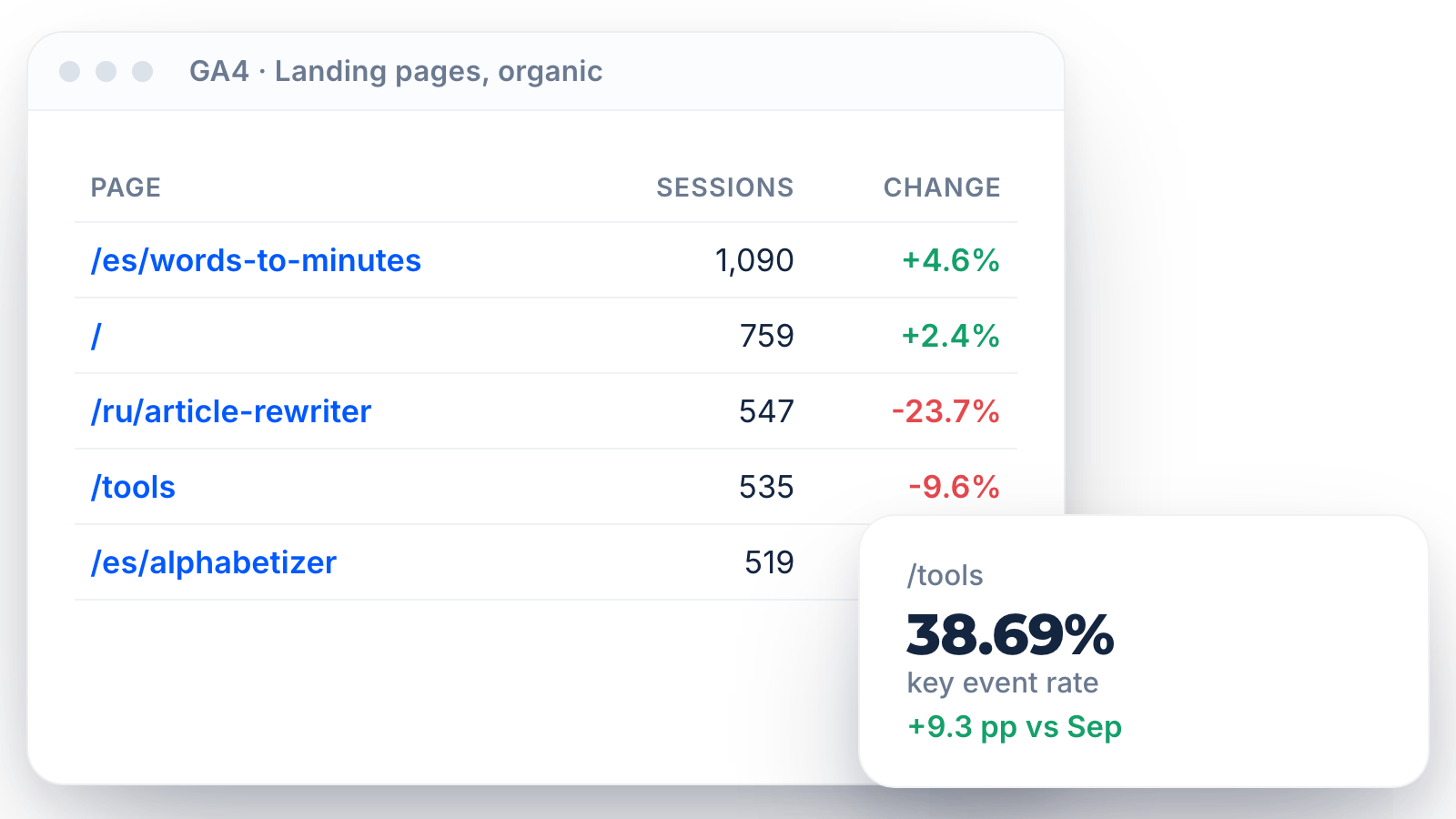
- Which landing pages lost the most organic sessions compared with the previous period?
- Which sources brought the most key events in October?
- Show weekly organic sessions for the last three months and tell me when the drop started.
- How much traffic and how many key events came from ChatGPT last month?
Reports the assistant can use
- Site summary: GA4 metrics for a date range with the previous period. Organic search is the default scope; ask for all traffic when you need it.
- Site history: a daily, weekly or monthly time series for one metric.
- Pages: the same metrics for every landing page, sortable by any metric, plus history for one page.
- Source and medium: sessions by source for all traffic.
- AI Traffic: visits from AI chats. See AI Traffic.
- Search Conversion: GSC clicks next to Google organic GA4 behavior. See Search Conversion report.
Good to know
- Organic search is the default traffic scope. Say "all traffic" in your question if you want every channel.
- Custom dimensions, individual events and audiences are not available through the MCP. Use GA4 for those.
- The MCP is read-only. It cannot change your GA4 property or your Sitechecker project.
For an overview of the product, see the GA4 MCP page.
Frequently asked questions
Do I need a Google Cloud project for GA4? No. Sitechecker MCP uses the GA4 connection in your Sitechecker project. There is no service account, Analytics Data API setup or local server.
Why do GA4 sessions not match Search Console clicks? GA4 counts sessions on your site, while Search Console counts clicks from Google results. Tracking consent, redirects and bots also cause differences, so the numbers rarely match.
Can I see traffic from AI chats? Yes. Ask about AI traffic, and the assistant uses the AI Traffic report to show sessions and key events from ChatGPT, Gemini, Perplexity and other AI chats.
Which Sitechecker plans include the MCP? Sitechecker MCP is available on all plans: Basic, Standard, Premium and Custom. Access is unlimited, with no monthly cap on tool calls. Each connection can make up to 10 tool calls per second.
Need help?
If you have questions about GA4 data in Sitechecker MCP, write to us at support@sitechecker.pro. We are happy to help.